Audit Logs, Custom Field Importing, and Starred Libraries ͏ ͏ ͏ ͏ ͏ ͏ ͏ ͏ ͏ ͏ ͏ ͏ ͏ ͏ ͏ ͏ ͏ ͏ ͏ ͏ ͏ ͏ ͏ ͏ ͏ ͏ ͏ ͏ ͏ ͏ ͏ ͏ ͏ ͏ ͏ ͏ ͏ ͏ ͏ ͏ ͏ ͏ ͏ ͏ ͏ ͏ ͏ ͏ ͏ ͏ ͏ ͏ ͏ ͏ ͏ ͏ ͏ ͏ ͏ ͏ ͏ ͏ ͏ ͏ ͏ ͏ ͏ ͏ ͏ ͏ ͏ ͏ ͏ ͏ ͏ ͏ ͏ ͏ ͏ ͏ ͏ ͏ ͏
Spring has arrived, and so have fresh updates to make managing your libraries and data even easier. From new audit logs that enhance transparency to SmartCite upgrades that simplify your EndNote transition, here’s what’s new and noteworthy. |
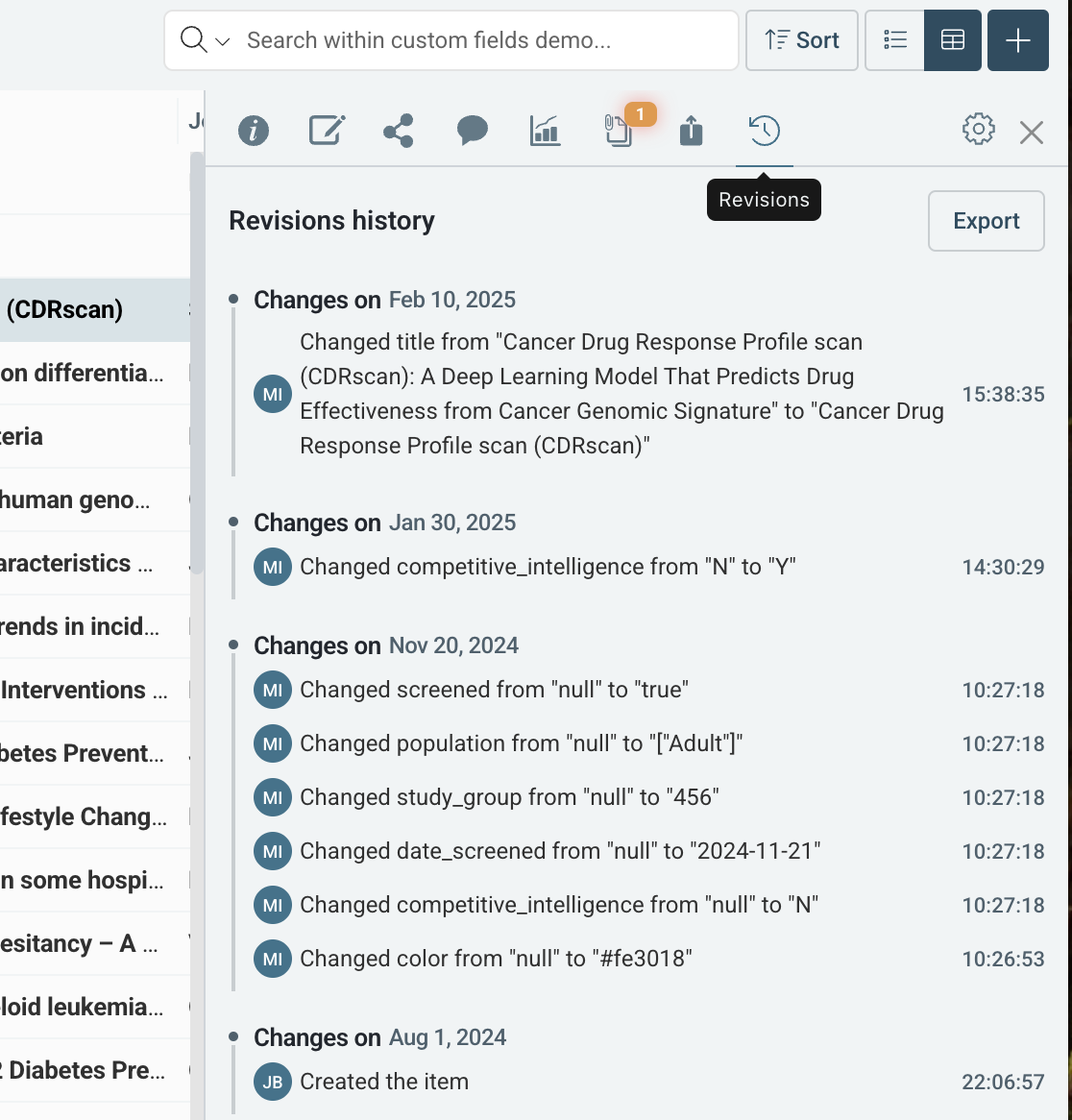
Tracking changes is now easier than ever. Audit logs—available with our custom fields module—are now built into the details panel for each reference, giving you instant access to revision history and exportable logs for further analysis. |
- See who made changes and when
- View a detailed log of modifications
- Export logs for deeper insights
|
Improved Custom Field Data Importing |
We’ve improved how you import data into custom fields from Embase, Ovid, and other databases, ensuring smoother formatting and reducing the need for manual cleanup. |
- Now supports comma-separated values in addition to semicolons
-
Works effortlessly with EndNote, EMBASE, and Ovid
- Less manual reformatting
|
Not using Custom Fields yet? Here's why you should! Custom Fields empower teams to capture critical data points, improve organization, and streamline workflows. See how teams are benefiting: |
- R&D Teams: Use Custom Fields to track and manage associate compound IDs for streamlined research tracking
- Medical Affairs Teams: Use Custom Fields to capture drug names for easy reference management
- Medical Device Teams: Use Custom Fields to track device manufactures and trade names
-
Medical Writing Teams: Use Custom Fields to create citation styles that include key details, such as conference presentation locations
- Regulatory Affairs Teams: Use Custom Fields to support review processes, capturing review dates and reviewer details
|
Find What You Need In Your Library Faster |
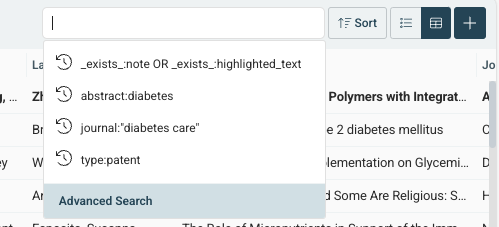
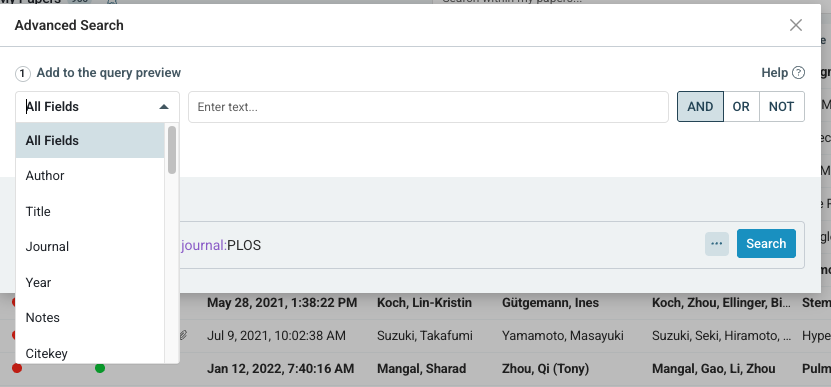
Now, use the Advanced Search Query Builder to easily build custom search queries in your ReadCube library using all available fields, from Author to Year, and even custom fields if your account has those enabled. |
- Create complex queries with ease
- Refine results faster than ever
|
Improved Author Formatting For Library Exports |
Exporting author data? We’ve made it clearer and more consistent. |
- Dedicated columns for First Author & Last Author
-
Standardized name formatting ("Last Name, First Name")
- Improved readability with proper surname prefix formatting
|
Stay Organized with Starred & Recent Libraries |
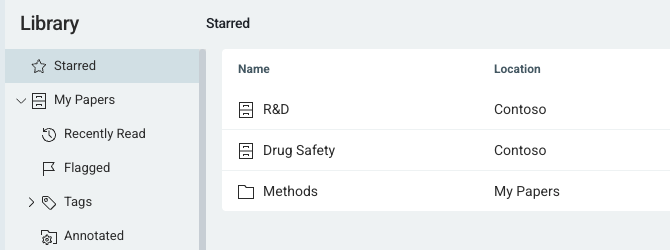
Navigating your libraries and lists just got faster and easier with two new enhancements: |
|
|
- Star Libraries and Lists allow you to pin frequently used libraries and lists for instant access in the Starred section.
|
-
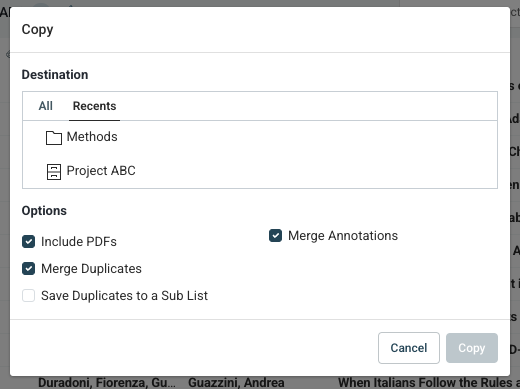
The new Recents section in "Add to Library" and "Copy to" lets you quickly access recently used libraries and lists, eliminating excessive scrolling.
|
| |
|
SmartCite: Smoother EndNote Conversion |
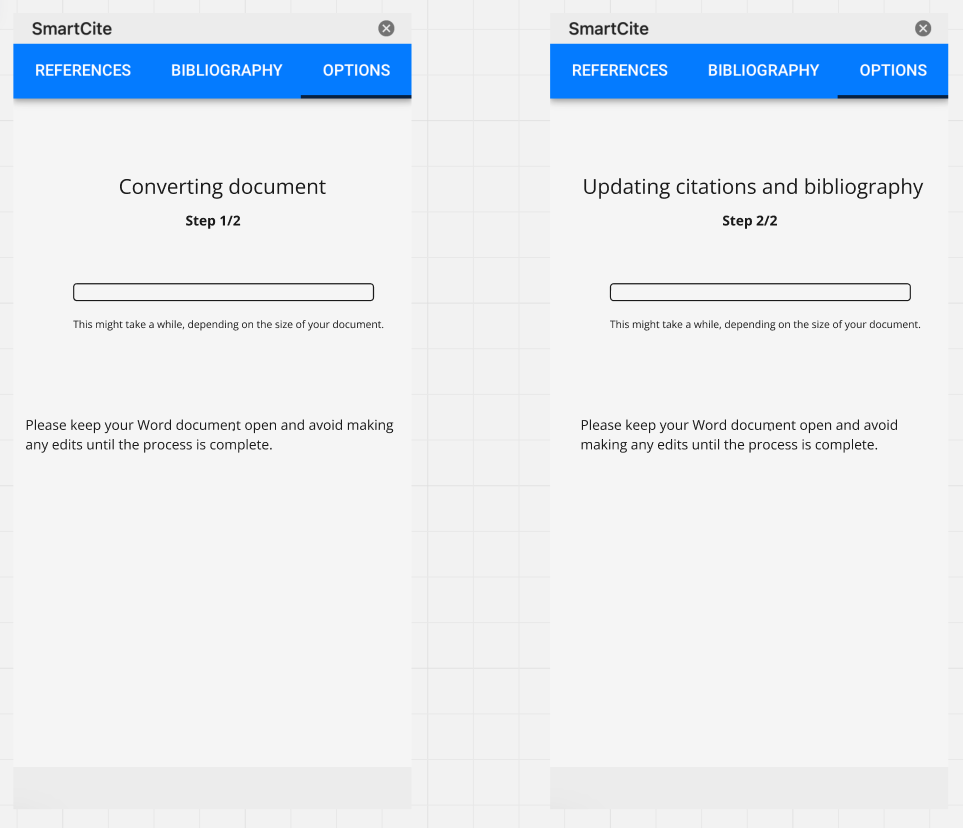
Migrating from EndNote? We’ve enhanced SmartCite’s conversion tool, ensuring a faster, more reliable transition when converting large documents to be compatible with SmartCite. The streamlined 2-step process makes it easy for you to see the status of the conversion, and leaves you with beautifully reformatted citations and bibliography. |
Ready to explore these new features? |
Share with your colleagues |
Found this newsletter useful? It's just sent to ReadCube admins—so don’t forget to forward it to your team to keep everyone in the loop! |
|
|
© 2025 Digital Science & Research Solutions Inc. 625 Massachusetts Ave, 2nd Floor, Cambridge, MA 02139
Unsubscribe / View in Browser |
|
|
|